
Where do I download Aniimo on PC?
Install from Steam or follow the PC launcher link in the official September 14 installation notice. This site does not host installers.
Home / Guide
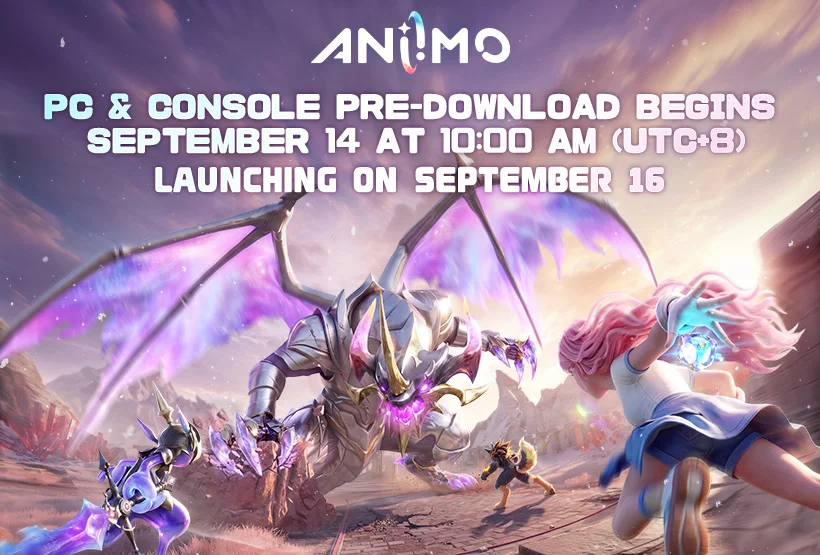
Aniimo is available on Windows PC, PlayStation 5, Xbox Series X|S, iOS and Android. Choose your platform below, check storage and hardware, then review account linking before the first login.
Unofficial player guide, based on the linked official records.
| Platform | Install from | Before you start |
|---|---|---|
| Windows PC | Aniimo on Steam , Epic Games Store, or official PC launcher notice | For Steam, select Play Game and continue in the Steam client. For the standalone route, follow the notice’s PC download link, then Install Now in the downloaded launcher. |
| PlayStation 5 | Official PlayStation listing | Use the PS5 internal SSD; the notice asks for 30–35 GB free. Check the PSN region and link your existing Pass on the first login. |
| Xbox Series X|S | Official Xbox listing | Reserve the published 30–35 GB. Read the first-login Pass prompt before entering the game. |
| iOS | Aniimo on the App Store ↗ | Launched September 23. Reserve at least 18 GB and check device compatibility with iPhone 11 (A13 or later), iOS 16 and 4 GB RAM minimum. |
| Android | Aniimo on Google Play ↗ | Launched September 23. Reserve at least 18 GB and confirm Vulkan 1.1 support; store compatibility can still vary by device and region. |
The earlier paid-pack pre-download offer does not establish a purchase requirement for the released base game. Check the base-game listing for your store region.
Compare each row with your PC. These are the published Steam requirements checked on September 17, not measured frame rates.
| Component | Minimum | Recommended |
|---|---|---|
| Operating system | 64-bit Windows 10 | 64-bit Windows 10 or later |
| CPU | Intel Core i7-4770 / AMD Ryzen 7 2700 | Intel Core i7-10700 / AMD Ryzen 5 5600 or better |
| Graphics | NVIDIA GeForce GTX 970 / AMD Radeon RX 5600 | NVIDIA GeForce RTX 3060 / AMD Radeon RX 6700 or better |
| RAM | 8 GB | 16 GB |
| DirectX | Version 11 | Version 11 |
| Connection | Broadband internet | Broadband internet |
| Available storage | 40 GB | 40 GB; official launcher notice recommends an SSD |
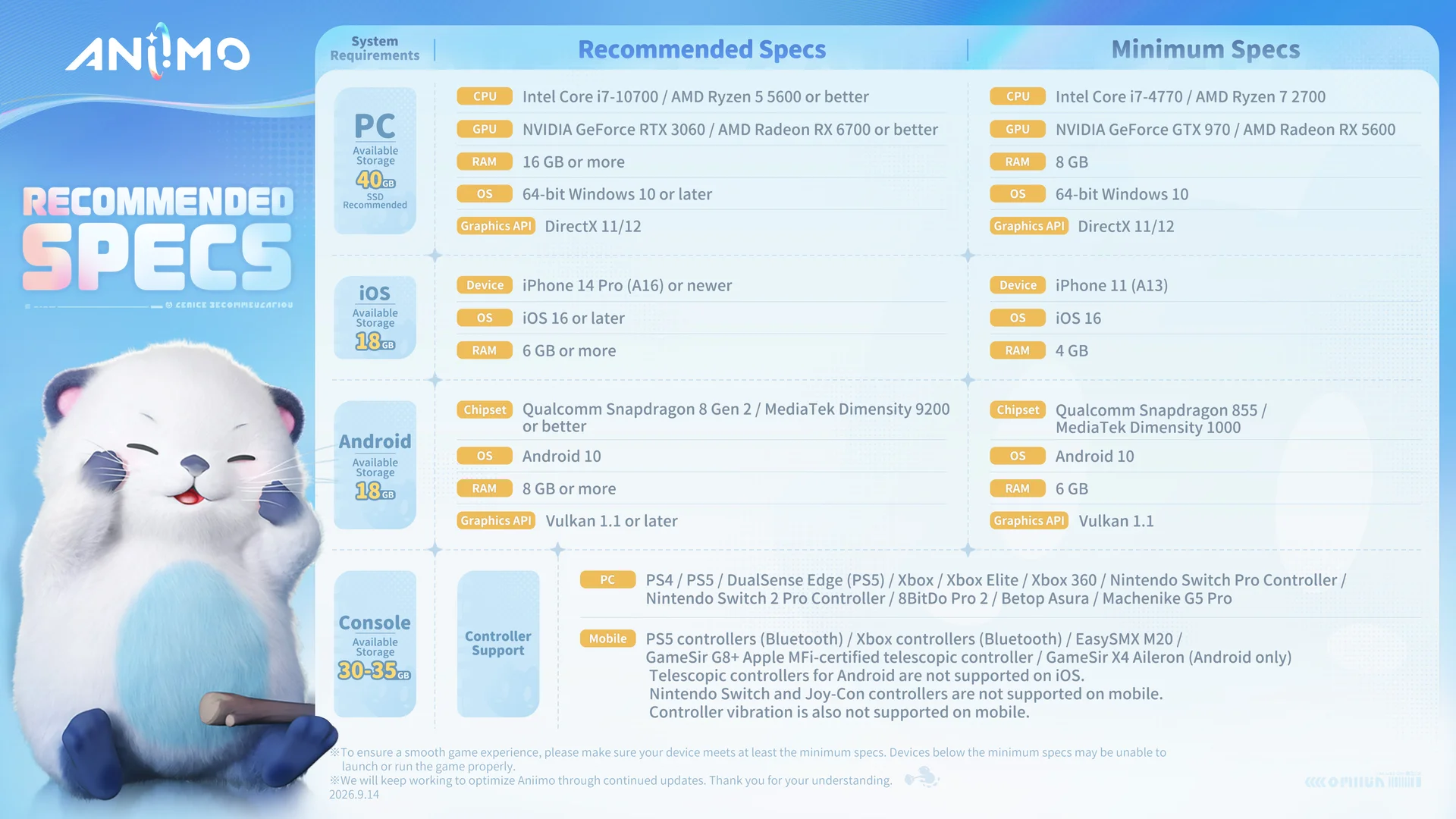
Reading the chart: the controller names at the bottom describe supported controllers, not additional game platforms. They do not establish PS4, Xbox 360 or Nintendo Switch releases.
The chart also lists mobile minimums: iPhone 11 (A13), iOS 16 and 4 GB RAM; or Snapdragon 855 / Dimensity 1000, Android 10, 6 GB RAM and Vulkan 1.1. It lists 18 GB storage for mobile. Mobile launched September 23; these published requirements do not prove compatibility or store availability for every device and region.
Check PS5 server assignment and console account linking before you log in. These steps are transcribed from official launcher guidance; no installation or account login was tested by this site.
The September 14 Aniimo stability notice identifies a separate hardware-related case: repeated crashes, shader errors or out-of-VRAM messages on affected Intel desktop processors. An out-of-VRAM message alone does not prove that this is your problem.
This guide does not apply tuning settings or claim a tested BIOS fix. Use official Aniimo Support for the game-specific report.
Install from Steam or follow the PC launcher link in the official September 14 installation notice. This site does not host installers.
The official FAQ says previous test clients cannot be reused. Install the current launcher and game through an official route; keep your account and server details before removing an old installation.
No. Storage, CPU, graphics, memory and operating-system requirements are separate checks. The current Steam listing requires 40 GB available space, but you must also compare the hardware below.
Requirements: Steam system requirements, the September 14 PC/console FAQ, the September 22 mobile pre-download FAQ, and the September 23 mobile launch confirmation. Console storage and launcher controls come from the PC/console FAQ; mobile routes, 18 GB guidance, Vulkan check and network branches come from the mobile notices. Actual compatibility and download size can change with updates.
After installation: gift-code redemption and reward destinations