
Aniimo Beta Rewards: Use the Right Login and Claim Route
Home / Checked October 15, 2026
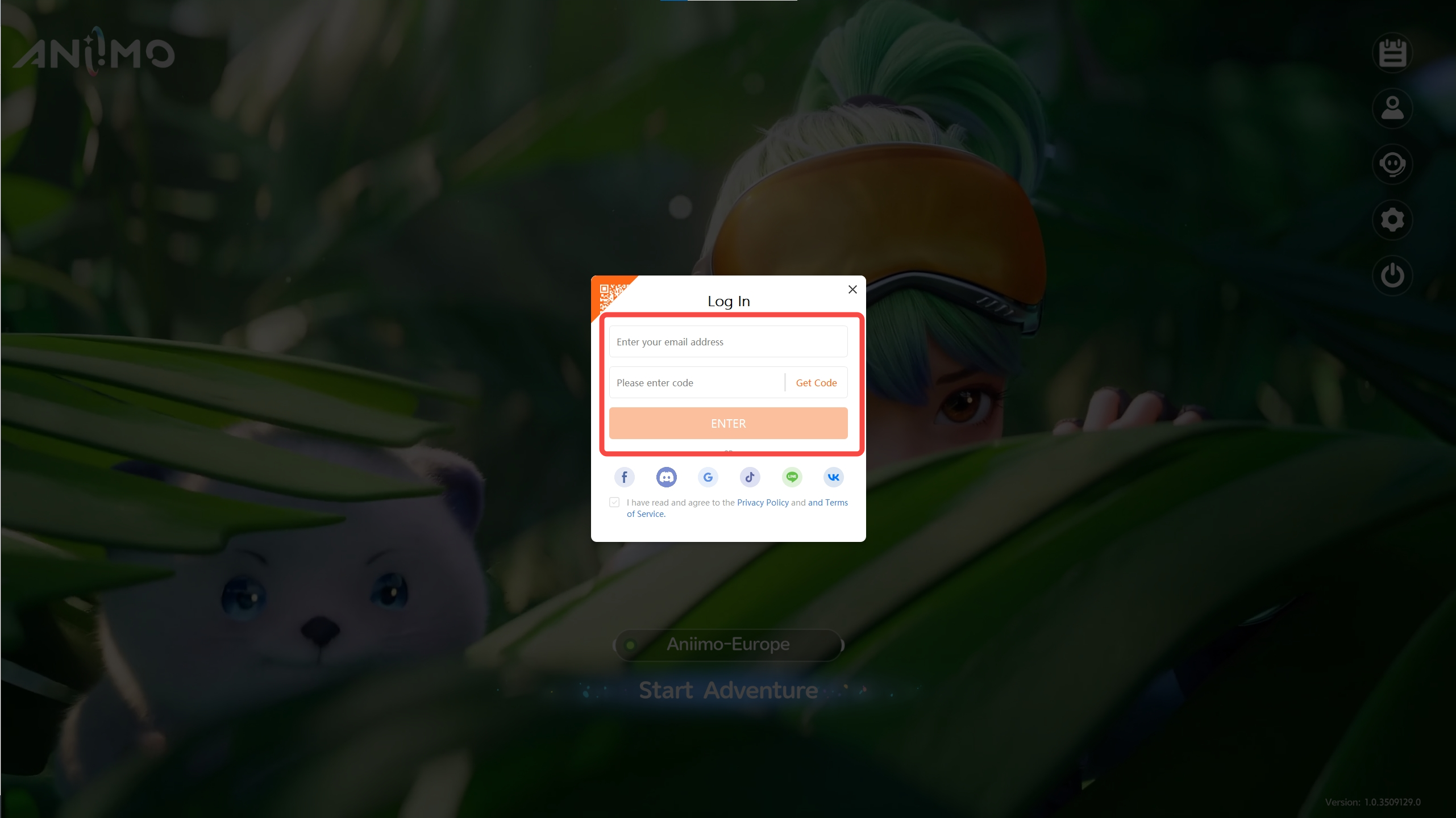
Use the email address from your beta test to check eligible rewards. Type that address and use an email verification code; a Google sign-in button using the same address is a different login route. Beta save progress does not carry into launch.
Independent fan guide. Source review, not a gameplay test by this site.
Choose the branch that matches your account
| Your situation | Next step | Boundary |
|---|---|---|
| Have the original test email | Log in with that email and its verification code, then open the official reward checker. | This checks eligibility; it does not restore the beta save. |
| Used another login; no character created | Login Screen → Account Center → Account Management → Email; link the test email. | Use the official instructions before creating a character. |
| Already have a character you want to keep | Contact in-game Support. | Do not unlink accounts or replace a character to experiment. |
| Participated through Steam tests | Contact in-game Support for test rewards. | Do not infer that an ordinary Steam email link resolves every beta reward case. |
The official notice also describes a branch that sacrifices the current character. It is excluded from this walkthrough: if retaining your progress matters, use Support.
Looking for a beta key or old test download?
Aniimo is already released on the listed PC, console and mobile platforms. An old beta invitation or preregistration result is not the current installation route: use the released game’s official store links. The official PC/console launch notice confirms the release; beta reward eligibility remains a separate account question.
If you have an old beta client, follow the current-client replacement instructions on the download page. Do not buy a purported beta key to resolve a missing reward.
Check rewards and archived eggs
- Open Aniimo’s official test-reward checker.
- Sign in with the test account and inspect the eligible rewards and Bonded Promise archived eggs shown for that account.
- If the expected reward is absent, send Support the test platform, login method and reward name. Do not post verification codes or passwords.
The console first-login Pass prompt has its own restrictions. Check PS5/Xbox linking before the first login.
Twitch Drops are claimed separately from beta rewards
The official Aniimo Twitch Drops page ↗ directs you to Twitch’s inventory to Claim an earned Drop before it expires, then to in-game mail. It says each Twitch account can claim a given Drop once; relinking another character does not create a second claim. Mail must be claimed within 30 days; contact in-game Support if delivery has not arrived within 24 hours. These are the official process limits, not a reward redemption performed here.
Campaign watch time and an already-earned claim are separate. The published launch campaign was reported to end October 13 (September 17 dated campaign guide); this October 15 review does not establish a new campaign. Open Twitch Drops Inventory for your own claim state. If watch progress stalls, use the official page’s Twitch Viewer FAQ route; beta eligibility troubleshooting will not repair that progress counter.
Verification notes
Official reward-login instructions, September 15 and launch reward checker announcement, September 16. Reviewed September 18. No account was logged in, relinked or redeemed by this site.